|
Create
Windows 98/ME/NT/2K/XP/2003 all in one
installation DVD
Create Windows 98/ME/NT/2K/XP/2003 all in one
installation DVD
Continues.. Page 4
5.
Making of multi-boot image file
-
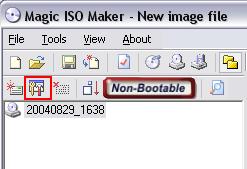
Click "Make multi-boot CD/DVD
image file" button to open "Multi-Boot
Image Editor"
-
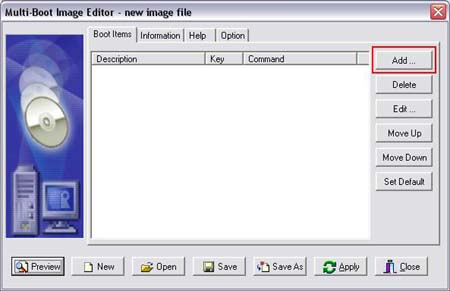
Click "Add ..." button to add one
boot item into multi-boot image
file.
-
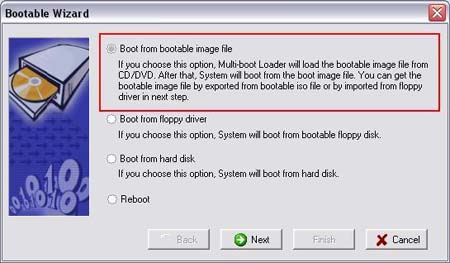
Choose "Boot from bootable image
file" option. and click "Next" button to next
step.
-
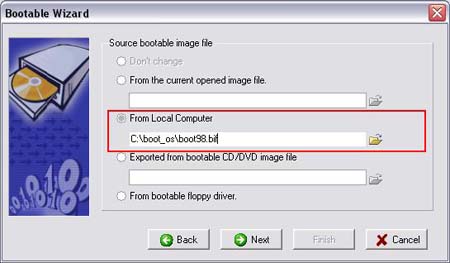
Choose "From Local Computer"
option, and input "c:\boot_os\boot98.bif", and
click "Next" button to next step.
-
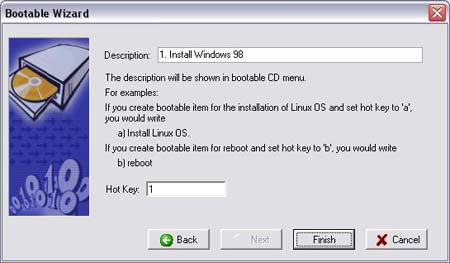
Input description of Window 98
boot image, and set "Hot Key" to "1"
-
Click "Finish" to complete Windows
98 bootable item.

-
Add Windows ME bootable item in
the same way as creating Windows 98 bootable
item.
|
From
Local Computer: |
c:\boot_os\bootme.bif |
|
Description: |
2. Install Window
ME |
| Hok
Key: |
2 |
-
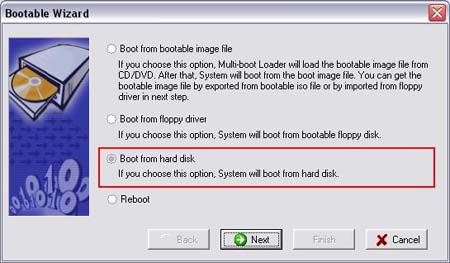
Add first assistant bootable item
for booting from hard disk.
-
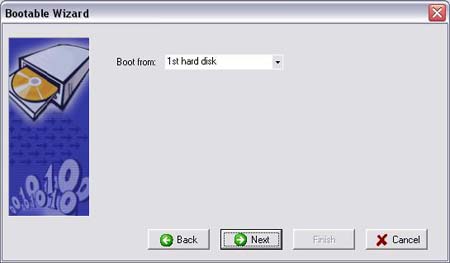
Choose booting from first hard
disk
-
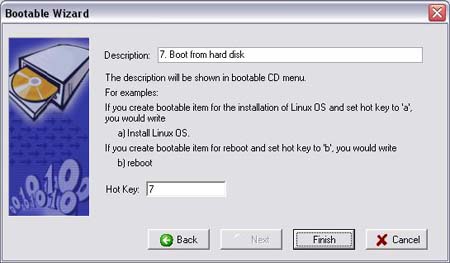
Input "7. Boot from hard disk"
into description of bootable item, and set "Hot
Key" to "7", and click "finish"
button
-
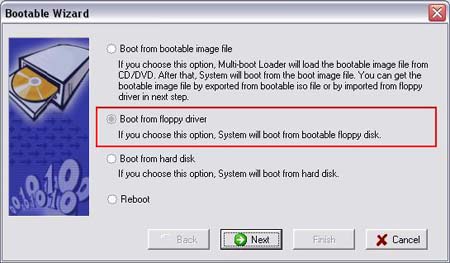
Add second assistant bootable item
for booting from floppy
driver.
-
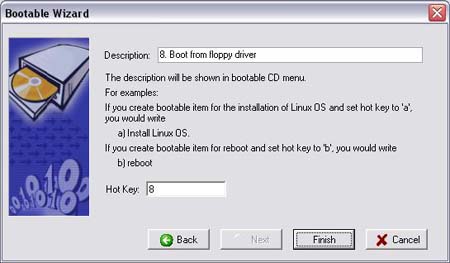
Input "8. Boot from floppy driver"
into description of bootable item, and set "Hot
Key" to "8", and click "finish"
button
-
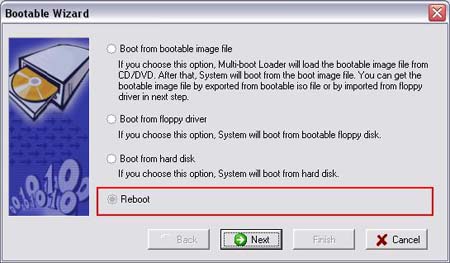
Add third assistant bootable item
for reboot
-
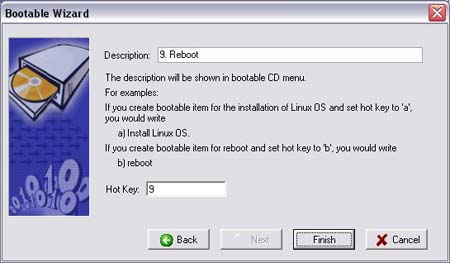
Input "9. Reboot" into description
of bootable item, and set "Hot Key" to "9", and
click "finish" button
-
Set "boot from hard disk" as
default bootable item. (you may choose other
bootable item)
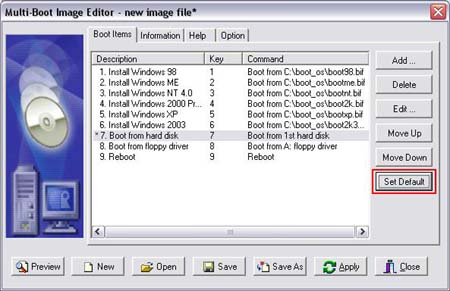
-
Click "Save" button to save
multi-boot image file to
c:\boot_os\multi_os_boot.mbi
-
Click "Close" to complete making
of multi-boot image file.
<<
[1]
[2]
[3]
4
[5]
>>
|
